Tabs
A Tabs component allows users to switch between different views or sections. Built on top of heroui-native Tabs with items-based API.
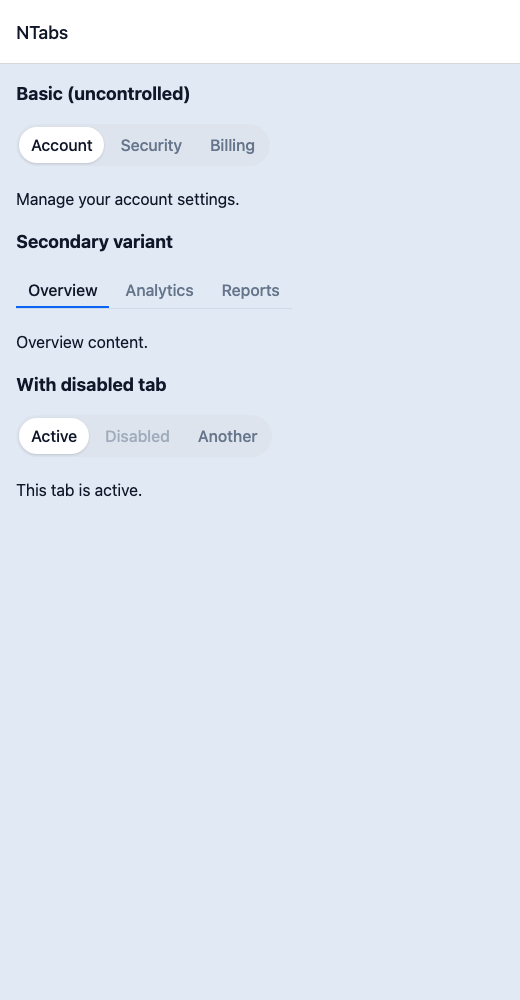
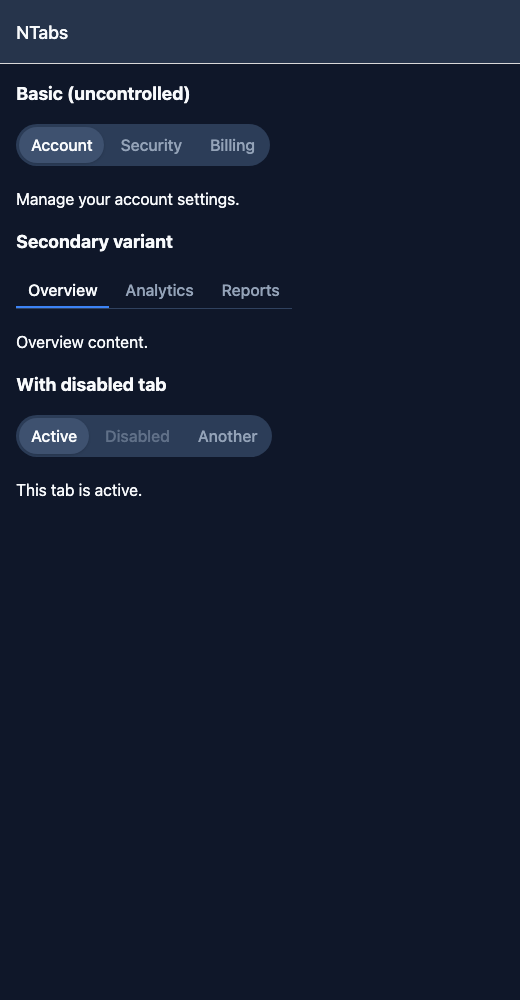
React Native components render to native views, so this is the component running in the example app, in the theme you are reading in.
9:41
Tabs.tsx
import { View } from 'react-native';import { NTabs, NText } from '@nayan-ui/native';export default function TabsScreen() {return (<View className="p-4 gap-4"><NText className="text-lg font-bold">Basic (uncontrolled)</NText><NTabsdefaultValue="account"items={[{ label: 'Account', value: 'account', content: <NText>Manage your account settings.</NText> },{ label: 'Security', value: 'security', content: <NText>Password and 2FA.</NText> },{ label: 'Billing', value: 'billing', content: <NText>Payment methods and invoices.</NText> }]}/><NText className="text-lg font-bold">Secondary variant</NText><NTabsvariant="secondary"defaultValue="tab1"items={[{ label: 'Overview', value: 'tab1', content: <NText>Overview content.</NText> },{ label: 'Analytics', value: 'tab2', content: <NText>Analytics data.</NText> },{ label: 'Reports', value: 'tab3', content: <NText>Reports list.</NText> }]}/><NText className="text-lg font-bold">With disabled tab</NText><NTabsdefaultValue="a"items={[{ label: 'Active', value: 'a', content: <NText>This tab is active.</NText> },{ label: 'Disabled', value: 'b', content: <NText>Cannot reach.</NText>, isDisabled: true },{ label: 'Another', value: 'c', content: <NText>Another tab.</NText> }]}/></View>);}
| Name | Type | Default | Details |
|---|---|---|---|
| items | TabItem[] | Required | Array of tab items with label, value, and optional content. |
| value | string | Optional | Controlled active tab value. |
| defaultValue | string | Optional | Default active tab value. |
| onValueChange | (value: string) => void | Optional | Callback when active tab changes. |
| variant | string | Optional | Tabs variant style. |
| className | string | ' ' | You can customise by passing tailwind classes. |
| listClassName | string | ' ' | You can customise tab list by passing tailwind classes. |
| triggerClassName | string | ' ' | You can customise tab triggers by passing tailwind classes. |
| contentClassName | string | ' ' | You can customise tab content by passing tailwind classes. |
Other components solving nearby problems.
- React Native Accordion
- React Native Collapsible
- React Native Expandable
- React Native Dropdown
- React Native Toggle Panel
- Mobile Accordion React Native
- React Native Accordion Tutorial
- React Native Accordion Component
- React Native Accordion Library
- React Native Collapsible Panel
- React Native Expandable List
- React Native FAQ Accordion
- Mobile Collapsible Component
- Cross Platform Accordion
- Expo Accordion Component
- React Native Accordion Animation
- React Native Accordion TypeScript
- Custom React Native Accordion
- React Native Accordion UI
- React Native Accordion Example