Radio Group
A Radio Group component allows users to select one option from a set of mutually exclusive choices. Built on top of heroui-native RadioGroup.
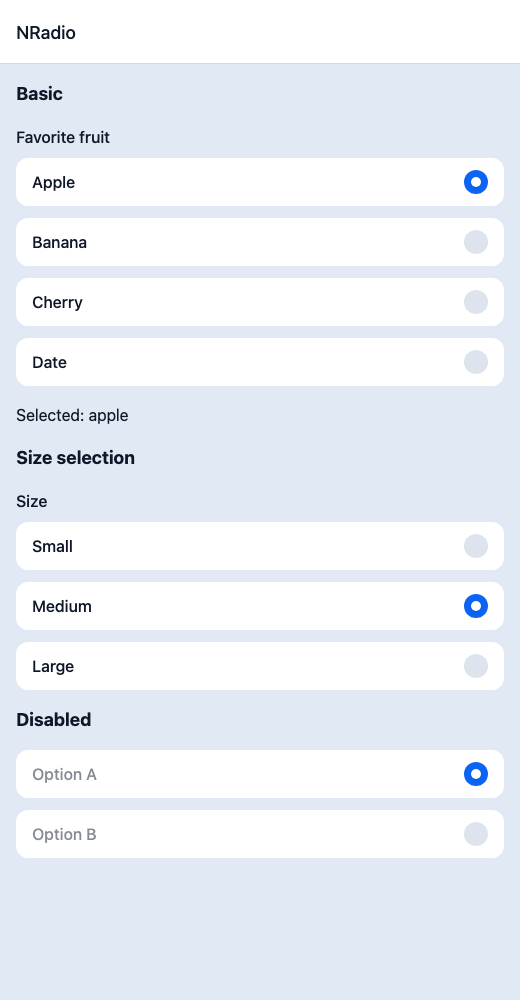
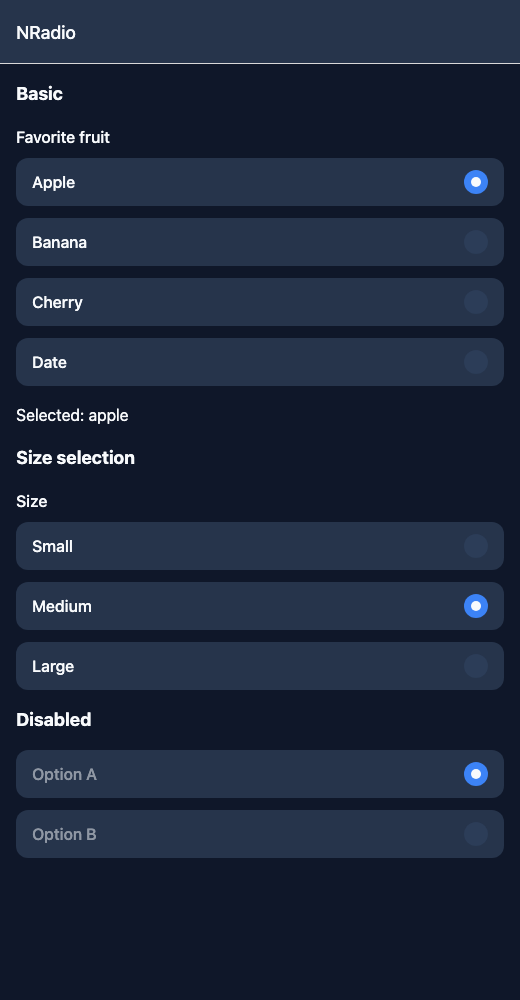
React Native components render to native views, so this is the component running in the example app, in the theme you are reading in.
9:41
RadioGroup.tsx
import { View } from 'react-native';import { useState } from 'react';import { NRadio, NText } from '@nayan-ui/native';export default function RadioScreen() {const [fruit, setFruit] = useState('apple');const [size, setSize] = useState('md');return (<View className="p-4 gap-4"><NText className="text-lg font-bold">Basic</NText><NRadiolabel="Favorite fruit"value={fruit}onValueChange={setFruit}items={[{ label: 'Apple', value: 'apple' },{ label: 'Banana', value: 'banana' },{ label: 'Cherry', value: 'cherry' },{ label: 'Date', value: 'date' }]}/><NText>Selected: {fruit}</NText><NText className="text-lg font-bold">Size selection</NText><NRadiolabel="Size"value={size}onValueChange={setSize}items={[{ label: 'Small', value: 'sm' },{ label: 'Medium', value: 'md' },{ label: 'Large', value: 'lg' }]}/><NText className="text-lg font-bold">Disabled</NText><NRadioisDisabledvalue="a"onValueChange={() => {}}items={[{ label: 'Option A', value: 'a' },{ label: 'Option B', value: 'b' }]}/></View>);}
| Name | Type | Default | Details |
|---|---|---|---|
| value | string | Required | Currently selected value. |
| items | RadioItem[] | Required | Array of radio items with label and value. |
| onValueChange | (value: string) => void | Required | Callback when selection changes. |
| label | string | Optional | Label for the radio group. |
| isDisabled | boolean | false | Whether the radio group is disabled. |
| className | string | ' ' | You can customise container by passing tailwind classes. |
| labelClassName | string | ' ' | You can customise group label by passing tailwind classes. |
| itemClassName | string | ' ' | You can customise individual radio items by passing tailwind classes. |
Other components solving nearby problems.
- React Native Radio
- React Native Radio Group
- React Native Radio Button
- Mobile Radio React Native
- React Native Radio Component
- React Native Radio Library
- React Native Radio Buttons
- React Native Form Radio
- React Native Radio Selection
- React Native Single Select
- React Native Option Selector
- React Native Choice Radio
- Mobile Radio Component
- Cross Platform Radio
- Expo Radio Component
- React Native Radio Tutorial
- React Native Radio TypeScript
- React Native Radio UI