Textarea
A Textarea component allows users to enter multi-line text. Built on top of heroui-native.
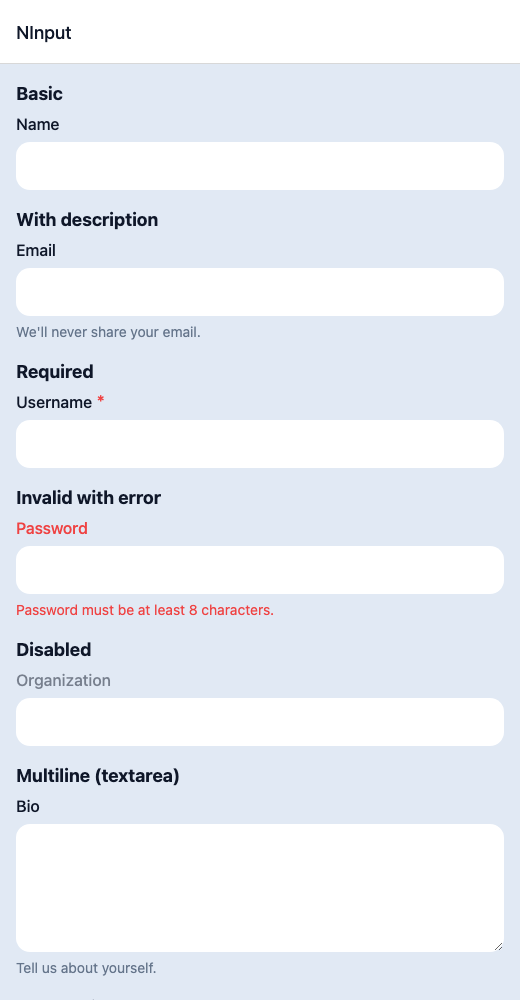
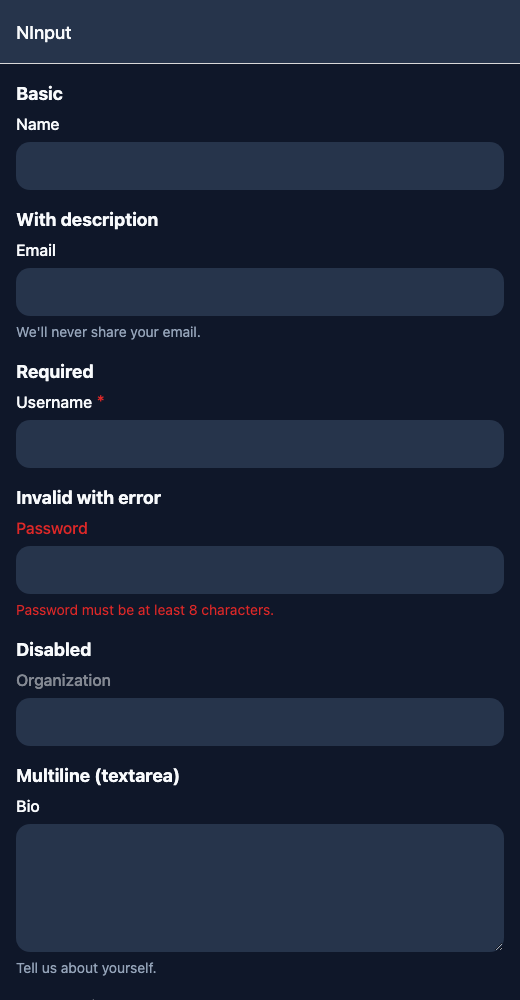
React Native components render to native views, so this is the component running in the example app, in the theme you are reading in.
9:41
Textarea.tsx
import { View } from 'react-native';import { NInput, NText } from '@nayan-ui/native';export default function InputScreen() {return (<View className="p-4 gap-1"><NText className="text-lg font-bold">Basic</NText><NInput label="Name" /><NText className="text-lg font-bold">With description</NText><NInput label="Email" description="We'll never share your email." /><NText className="text-lg font-bold">Required</NText><NInput label="Username" isRequired /><NText className="text-lg font-bold">Invalid with error</NText><NInput label="Password" isInvalid errorMessage="Password must be at least 8 characters." /><NText className="text-lg font-bold">Disabled</NText><NInput label="Organization" isDisabled /><NText className="text-lg font-bold">Multiline (textarea)</NText><NInput label="Bio" multiline description="Tell us about yourself." /><NText className="text-lg font-bold">All combined</NText><NInput label="Phone" description="Include country code." isRequired isInvalid errorMessage="Invalid phone number." /></View>);}
| Name | Type | Default | Details |
|---|---|---|---|
| label | string | Optional | Label for the textarea. |
| description | string | Optional | Description text below the textarea. |
| errorMessage | string | Optional | Error message to display. |
| multiline | boolean | true | Set to true for textarea mode (uses NInput with multiline). |
| isDisabled | boolean | false | Whether the textarea is disabled. |
| value | string | Optional | Controlled textarea value. |
| onChange | (value: string) => void | Optional | Callback when textarea value changes. |
| className | string | ' ' | You can customise textarea by passing tailwind classes. |
| containerClassName | string | ' ' | You can customise container by passing tailwind classes. |
| labelClassName | string | ' ' | You can customise label by passing tailwind classes. |
Other components solving nearby problems.
- React Native Textarea
- React Native Multiline Input
- React Native Text Area
- Mobile Textarea React Native
- React Native Textarea Component
- React Native Textarea Library
- React Native Multiline Text
- React Native Text Editor
- React Native Form Textarea
- React Native Long Text Input
- React Native Expandable Textarea
- Mobile Textarea Component
- Cross Platform Textarea
- Expo Textarea Component
- React Native Textarea Tutorial
- React Native Textarea TypeScript
- React Native Textarea UI