Slider
A Slider component allows users to select a value from a range by dragging a thumb along a track. Built on top of heroui-native Slider.
React Native components render to native views, so this is the component running in the example app, in the theme you are reading in.
9:41
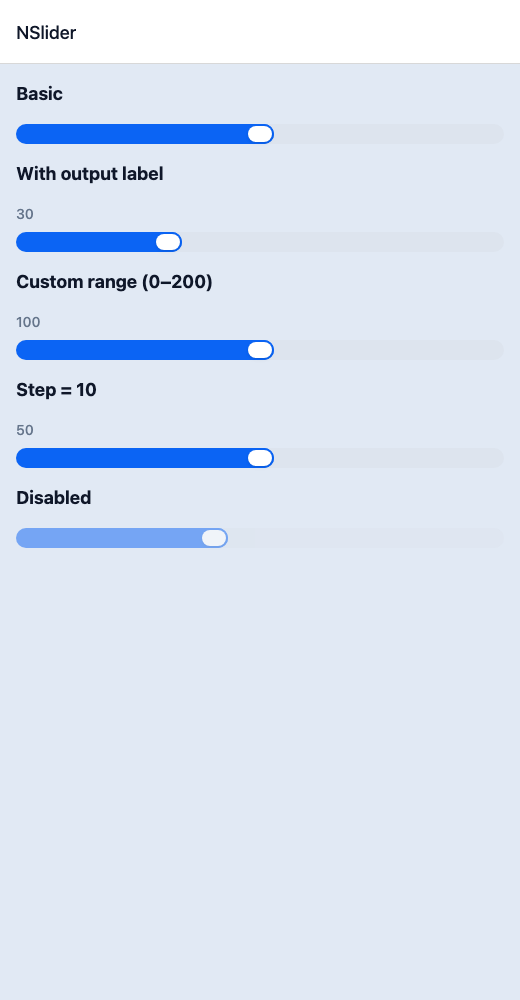
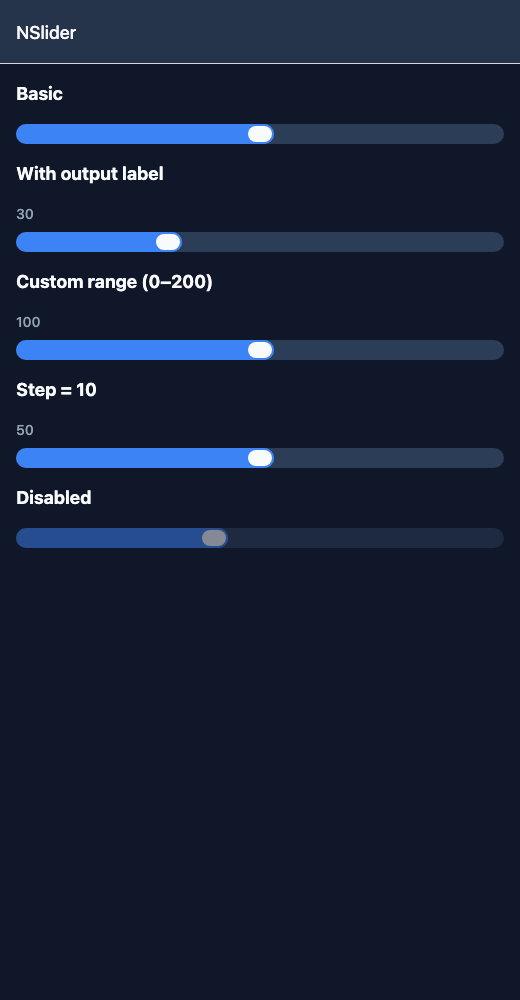
Slider.tsx
import { View } from 'react-native';import { NSlider, NText } from '@nayan-ui/native';export default function SliderScreen() {return (<View className="p-4 gap-4"><NText className="text-lg font-bold">Basic</NText><NSlider defaultValue={50} /><NText className="text-lg font-bold">With output label</NText><NSlider defaultValue={30} showOutput /><NText className="text-lg font-bold">Custom range (0–200)</NText><NSlider defaultValue={100} minValue={0} maxValue={200} showOutput /><NText className="text-lg font-bold">Step = 10</NText><NSlider defaultValue={50} step={10} showOutput /><NText className="text-lg font-bold">Disabled</NText><NSlider defaultValue={40} isDisabled /></View>);}
| Name | Type | Default | Details |
|---|---|---|---|
| value | number | Optional | Controlled slider value. |
| defaultValue | number | Optional | Default slider value. |
| onChange | (value: number) => void | Optional | Callback when slider value changes. |
| minValue | number | 0 | Minimum value of the slider. |
| maxValue | number | 100 | Maximum value of the slider. |
| step | number | 1 | Step increment of the slider. |
| isDisabled | boolean | false | Whether the slider is disabled. |
| showOutput | boolean | false | Whether to show the current value output. |
| className | string | ' ' | You can customise by passing tailwind classes. |
| trackClassName | string | ' ' | You can customise track by passing tailwind classes. |
| fillClassName | string | ' ' | You can customise fill by passing tailwind classes. |
| thumbClassName | string | ' ' | You can customise thumb by passing tailwind classes. |
Other components solving nearby problems.
- React Native Accordion
- React Native Collapsible
- React Native Expandable
- React Native Dropdown
- React Native Toggle Panel
- Mobile Accordion React Native
- React Native Accordion Tutorial
- React Native Accordion Component
- React Native Accordion Library
- React Native Collapsible Panel
- React Native Expandable List
- React Native FAQ Accordion
- Mobile Collapsible Component
- Cross Platform Accordion
- Expo Accordion Component
- React Native Accordion Animation
- React Native Accordion TypeScript
- Custom React Native Accordion
- React Native Accordion UI
- React Native Accordion Example